Accessible Event Checklist: Before Guests Arrive
What belongs on an accessible event checklist?
An accessible event checklist starts before the venue is booked. Ask participants about access requirements, verify the physical or virtual setting, budget for qualified services, publish specific access information, prepare adaptable materials, and test the whole journey from registration to questions after a session. Assign each item to a person and a deadline. “We will sort it out on the day” is not a plan; it is an invoice from the future.
Use this as a planning baseline, then confirm the laws and building requirements that apply to your location and organization.
Put access in the first budget and brief
Name an access lead to coordinate the venue, registration, service providers, and participant requests. Give that person authority to fix gaps.
The W3C Web Accessibility Initiative's event accessibility checklist advises organizers to ask speakers and participants about accessibility requirements, including through registration. Use an open field such as “What would help you participate fully?” and provide a private contact route. Avoid forcing people to disclose a diagnosis.
Set a response date early enough to arrange services, while keeping a route for later requests.
Verify the venue or platform
For an in-person event, inspect the route rather than accepting an “accessible” label. Check arrival, parking or public transport information, entrance, registration desk, meeting rooms, stage, seating choices, toilets, quiet space, emergency procedures, and routes between them. Publish what you verified, including the accessible entrance and any step-free route.
For remote or hybrid events, test the platform with keyboard navigation and assistive technology. Confirm how participants join, enable captions, use chat, raise a hand, access shared files, and request help. Offer more than one connection method where possible.
W3C specifically calls out accessible entrances, meeting rooms, stages, bathrooms, routes, remote platforms, and connection options. Local building codes contain the dimensions and technical requirements; use a qualified access professional for a formal site assessment.
Arrange communication access early
Ask what communication service is effective for the participant rather than choosing by assumption. Depending on the event, that may include real-time captions, sign-language interpreting, an assistive listening system, large print, Braille, accessible electronic documents, or audio description.
For U.S. organizations covered by Titles II or III of the Americans with Disabilities Act, the Department of Justice says effective communication depends on the nature, length, complexity, and context of the communication and the person's usual method. Its guidance lists qualified interpreters, real-time captioning, accessible electronic information, and assistive listening technologies among possible auxiliary aids and services. This is U.S.-specific guidance; other jurisdictions set their own duties.
Book qualified providers early and send them the schedule, names, acronyms, slides, and scripts in advance. Confirm that captioners receive clean audio and that captions are visible where participants need them.
Make registration and materials usable
Test the registration journey without a mouse. Give every field a visible label, identify errors in text, preserve keyboard focus, and avoid unexplained time limits. State the schedule, access, transport, available services, food process, contact method, and request deadline plainly.
Provide materials before the session in adaptable formats. W3C recommends formats users can adjust and warns against offering materials only in formats that resist changes to size, spacing, color, zoom, or reflow. Event websites and electronic materials belong in the inclusive web guidance and should follow WCAG; images need alternatives, headings need real structure, and recorded media needs the appropriate captions, transcript, and visual description.
Our guide to writing alt text handles the image decision without turning every speaker portrait into a small novel.
Design the room and schedule for participation
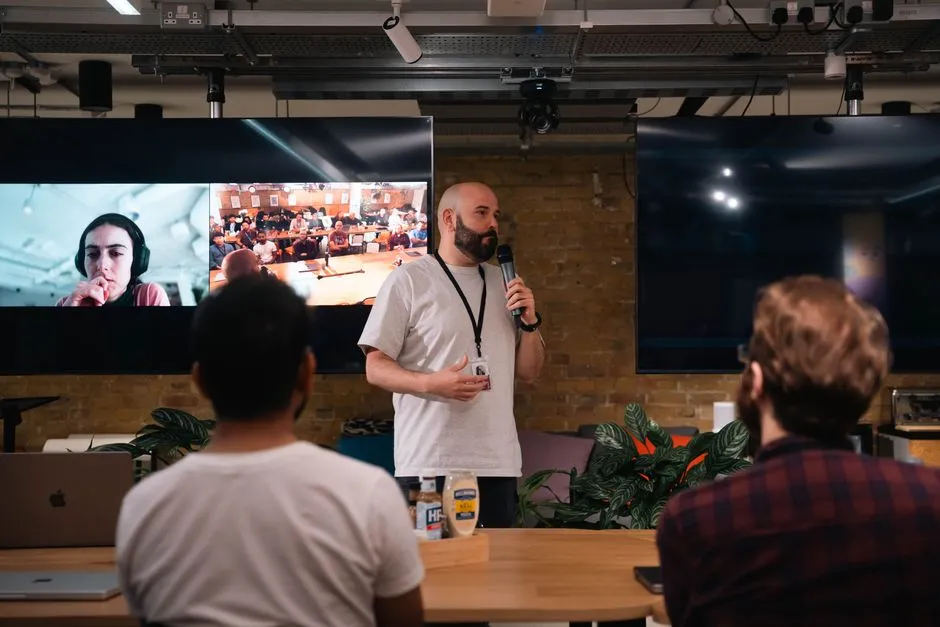
Offer seating in different locations and preserve accessible routes. Keep speakers and interpreters visible and well lit. Use microphones for presenters and audience questions, then repeat questions into the sound system when needed.
Build in breaks and realistic travel time between rooms. Explain activities before people must respond and provide alternatives to tasks that depend on speed, speech, vision, hearing, fine motor control, or standing. A sticky-note exercise is a method, not a sacred rite.
Brief staff on who handles access requests, where services are located, and how to resolve a failure without making the participant negotiate publicly.
Run one complete rehearsal
Before opening registration on the day, test the experience in order:
- Follow published arrival instructions to the entrance or login.
- Complete registration using keyboard controls.
- Reach the room, seat, toilet, quiet space, and emergency information.
- Check microphones, captions, interpreter sightlines, slides, videos, and shared documents.
- Submit a question through every promised channel.
- Confirm who can fix each failure and how participants will be updated.
Afterward, send accessible recordings and materials in the formats promised. Ask for feedback about specific parts of the experience and record fixes for the next event. Keep those fixes with the rest of the accessible events guidance, so the next checklist remembers what the room forgot.
Sources
- W3C Web Accessibility Initiative: Making Events Accessible — updated August 31, 2022; supports advance access requests, venue and platform checks, captioning and interpreting preparation, adaptable materials, microphones, visual descriptions, breaks, and accessible activities.
- U.S. Department of Justice: ADA Requirements—Effective Communication — last updated February 28, 2020; supports the explicitly U.S.-scoped explanation of effective communication and possible auxiliary aids and services for covered entities.